Glass3接入OpenClaw
配置OpenClaw
要使用 OpenAI 兼容的 curl 访问 OpenClaw Gateway,首先需要明确一点:OpenClaw 的 HTTP REST 适配器(/v1/chat/completions)在默认情况下是禁用的。
你需要先开启该功能,然后才能使用标准的 OpenAI 格式指令。
1. 开启 OpenAI 兼容端点
在你的 macOS 上打开 ~/.openclaw/openclaw.json,确保 gateway 配置包含以下内容:
json
{
  "gateway": {
    "http": {
      "endpoints": {
        "chatCompletions": {
          "enabled": true
        }
      }
    },
    "auth": {
      "token": "你的GATEWAY_TOKEN"
    }
  }
}
或者直接通过 CLI 开启:
bash
openclaw config set gateway.http.endpoints.chatCompletions.enabled true
openclaw gateway restart
2. 标准 OpenAI 兼容 curl
开启后,你可以像调用 OpenAI 一样调用它。注意 model 参数通常对应你 OpenClaw 中的 Agent ID(例如 openclaw:main)。
bash
curl -X POST http://<你的局域网IP>:18789/v1/chat/completions \
     -H "Authorization: Bearer 你的GATEWAY_TOKEN" \
     -H "Content-Type: application/json" \
     -d '{
       "model": "openclaw:main",
       "messages": [
         {
           "role": "system",
           "content": "你是一个运行在 Rokid 设备上的 AI 助手。"
         },
         {
           "role": "user",
           "content": "检查当前 rokidspace 项目的状态"
         }
       ],
       "stream": false
     }'
3. 流式响应 (Streaming)
如果你需要流式输出(即打字机效果),只需将 stream 设为 true:
bash
curl -X POST http://<你的局域网IP>:18789/v1/chat/completions \
     -H "Authorization: Bearer 你的GATEWAY_TOKEN" \
     -H "Content-Type: application/json" \
     -d '{
       "model": "openclaw:main",
       "messages": [{"role": "user", "content": "你好"}],
       "stream": true
     }'
接入灵眸云平台
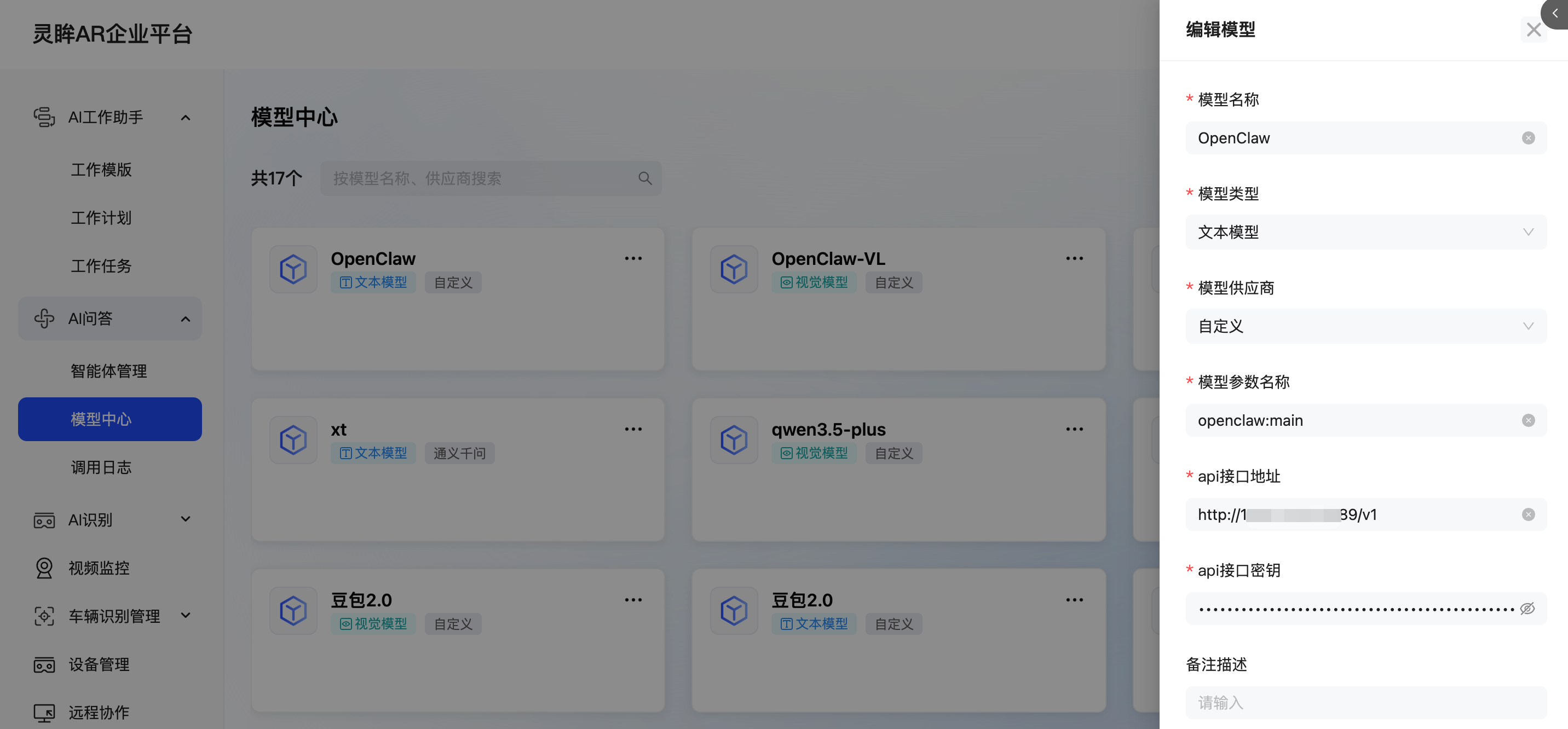
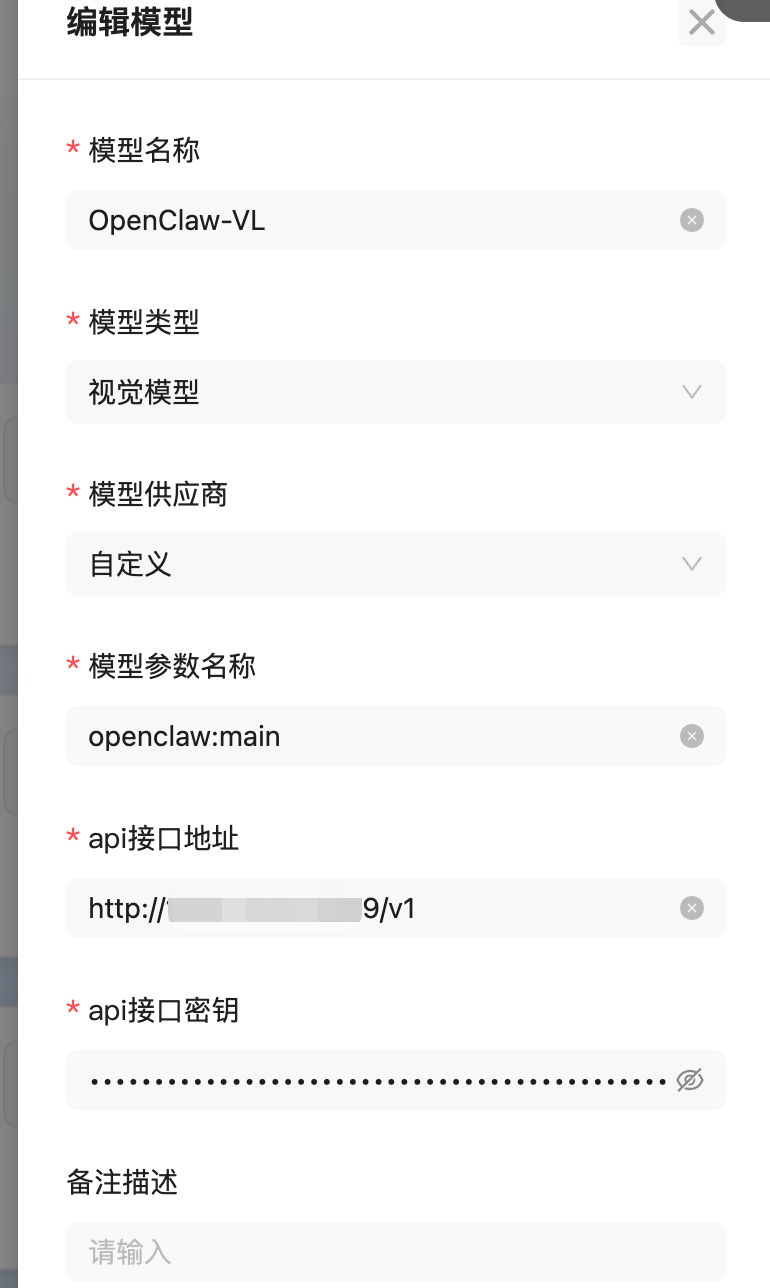
配置模型中心,新增openClaw和openClawVL,除了类型不一样,其他配置一样
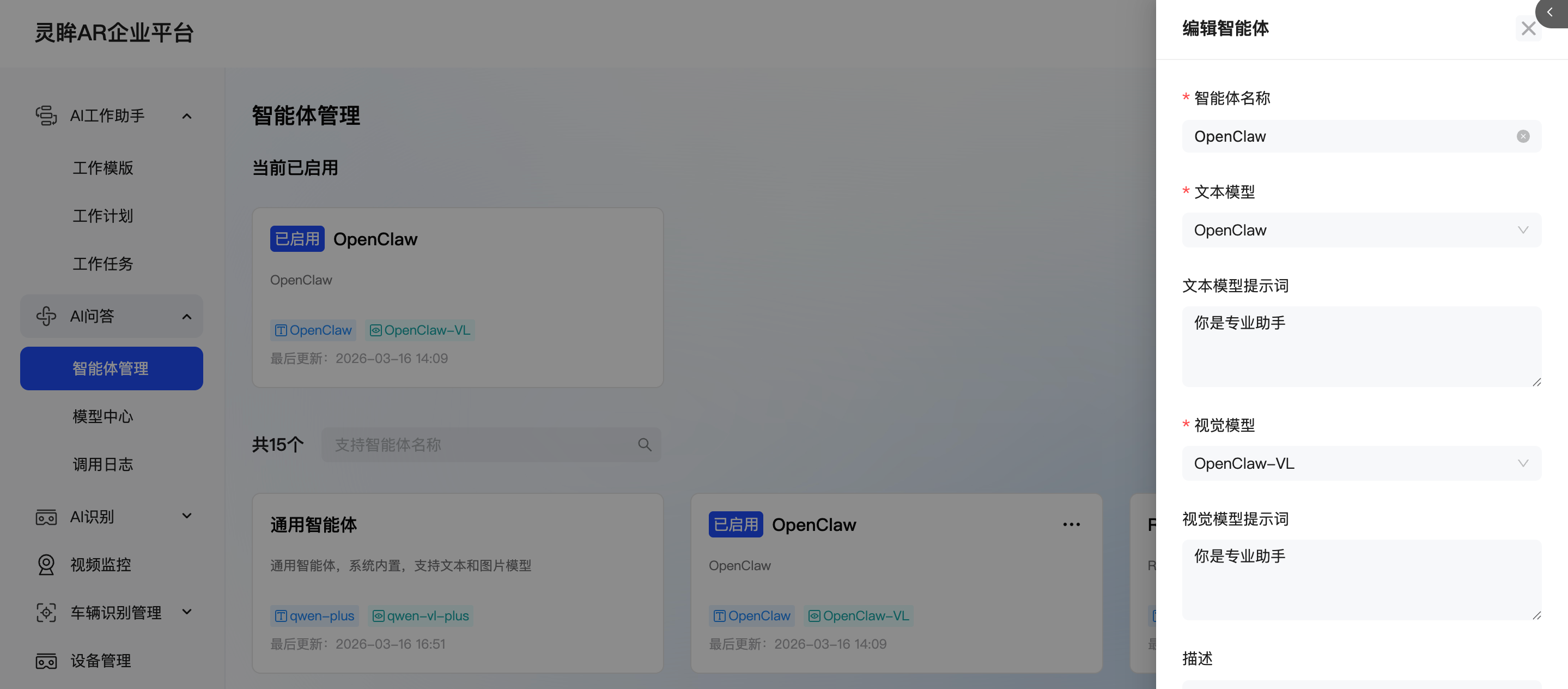
新增智能体OpenClaw,提示词可以忽略,选择对应的模型,并启用。
Glass3企业版使用
恭喜你,配置完成!在眼镜端使用AI问答就可以直接和OpenClaw对话了!