Glass3 SDK FAQ Overview
This page collects common Glass3 SDK integration questions. For connection issues, start with the dedicated troubleshooting pages:
1. System and development environment
Which platforms are supported?
Glass3 SDK targets Android app development. iOS and native HarmonyOS are not supported.
What is the minimum Android version?
Android 7.0 (API 24) or later is recommended. Always confirm with the Gradle configuration in the current SDK package and Demo project.
What development environment is recommended?
- Android Studio 2022 or later
- JDK 17 or later
- Kotlin 1.8.22 or later
- Gradle 7.4.2 or later
How do I distinguish enterprise and consumer systems?
Open glasses settings and check the system version. Versions containing e are usually work/enterprise builds.
- Enterprise system: use Rokid AI Enterprise or the enterprise Demo.
- Consumer system: use the consumer Rokid AI app and enable developer mode on the glasses.
2. UI and display
How should I adapt the glasses screen?
Glass3 uses a fixed 480×640 portrait coordinate system and does not support OS-level rotation. For old apps, remove forced landscape:
android:screenOrientation="landscape"Recommended layout:
- Use the center 480×400 area for primary content.
- Use the top 160px and bottom 80px for secondary information.
- If a wide layout is needed, implement it inside the portrait canvas.
What colors are supported?
Use green as the primary visual style. Avoid relying on complex colors to communicate critical states.
How do I handle top-screen reflection?
The top ~40px area may show optical reflection. Move important text, icons, and buttons downward by about 40px.
What should I do if the screen flashes?
Use a black Activity background to reduce perceived flash during startup or page transitions.
How do I keep the display on?
override fun onResume() {
    super.onResume()
    window.addFlags(android.view.WindowManager.LayoutParams.FLAG_KEEP_SCREEN_ON)
}

override fun onPause() {
    super.onPause()
    window.clearFlags(android.view.WindowManager.LayoutParams.FLAG_KEEP_SCREEN_ON)
}
3. Device and hardware
Can the display resolution be changed?
No. The display resolution is fixed at 480×640.
Does the camera support autofocus?
No. Glass3 uses a fixed-focus camera module.
Can camera capture resolution be selected?
Camera output resolution can be selected, but the display resolution remains 480×640.
Common capture resolutions include:
4032x3024, 4000x3000, 3840x2160, 3264x2448, 3200x2400,
2560x1440, 2048x1536, 1920x1080, 1600x1200, 1280x720,
1024x768, 800x600, 640x480, 480x640, 320x240
What is the recommended face recognition distance?
Up to about 5 meters, with around 3 meters being more stable.
Does the device have vibration or geomagnetic sensors?
No vibration motor and no geomagnetic sensor.
Are the microphones mono or dual?
Dual microphones.
4. Messaging and file transfer
Where should files be placed before sending from glasses?
Use public shared storage to avoid private directory permission issues.
Where are received files stored on glasses?
/storage/emulated/0/Download/receiver/Where are received files stored on the phone?
/sdcard/Android/data/<package-name>/files/receiver/Bluetooth or P2P?
- Small messages, control commands, and small files: Bluetooth is acceptable.
- Large files, images, video, and real-time streams: use P2P.
Bluetooth throughput is limited, so avoid using it for large payloads.
Can one phone app connect to multiple glasses-side apps?
Yes. The phone app targets different glasses apps by clientId.
5. Media and speech
Can SDK access photos and videos captured by the system app?
Yes. After the phone and glasses are connected, files can be synchronized to:
/sdcard/Android/data/<package-name>/files/receiver/Common glasses-side album paths:
/storage/emulated/0/DCIM/album/
/storage/emulated/0/Pictures/
Are glasses-side captured files deleted automatically?
After successful P2P upload to the phone, images on the glasses may be cleaned up by the system. Use the phone-side received file as the business source of truth.
What is the default video stream resolution and frame rate?
- Resolution: 1080P (1080×1920)
- Frame rate: about 15–19 fps
- Phone playback latency: about 300 ms
What video format does SDK output?
H.264 or decoded NV21, depending on the API and Demo flow.
How do I use video monitoring?
Video monitoring requires the GB/T device information from the Lingmou AR Enterprise platform, then the streaming parameters need to be filled in on the video monitoring page.
Sign in to the Lingmou AR Enterprise platform:
Go to device management and find the device GB/T information. This value is the device number.
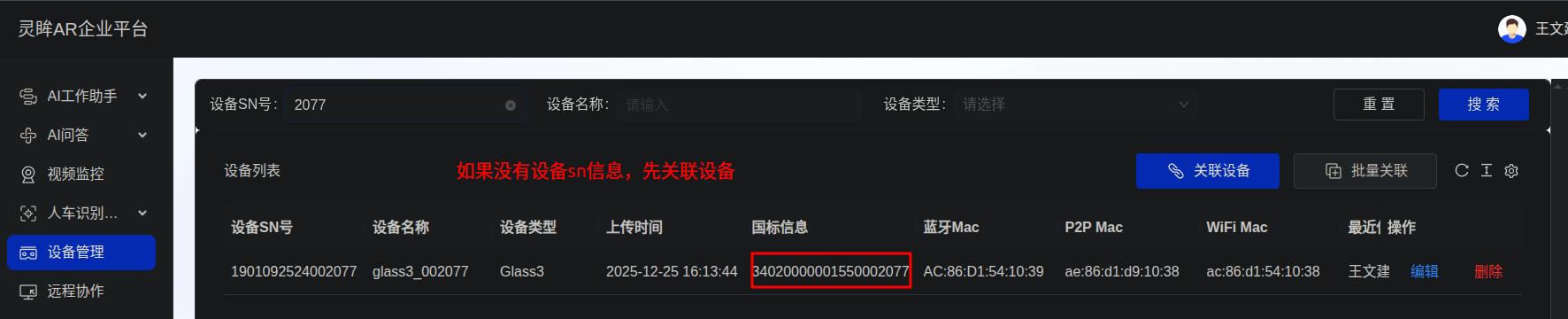
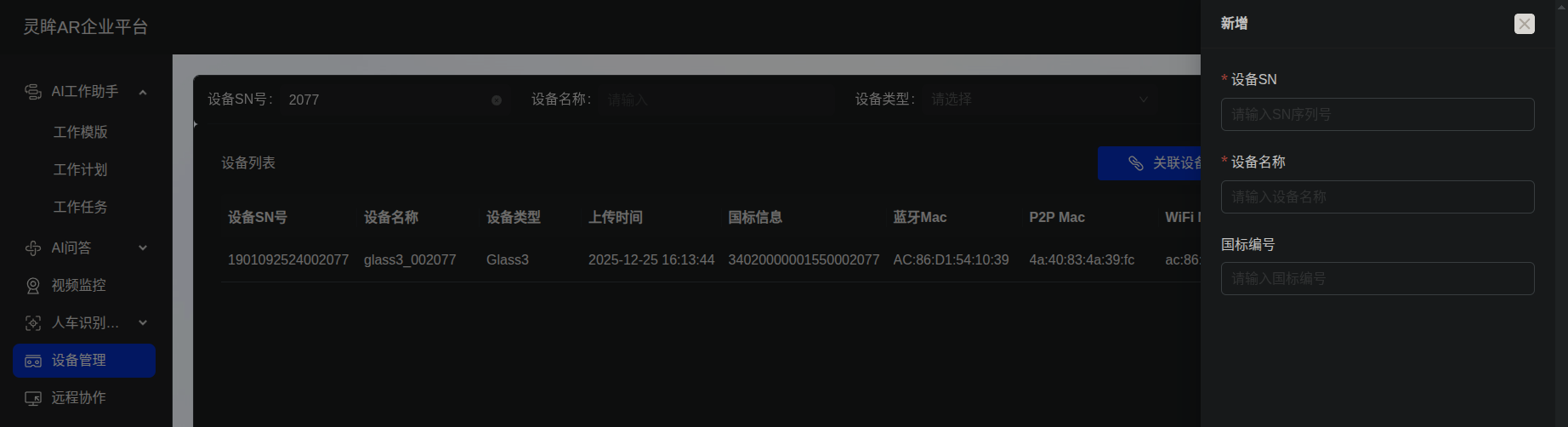
Fill in the streaming information on the video monitoring page.
Parameter Example Device number 34020000001550002077Password Optional Service domain 3402000000Service IP 8.136.53.153Service port 15060Service ID 34020000002000000001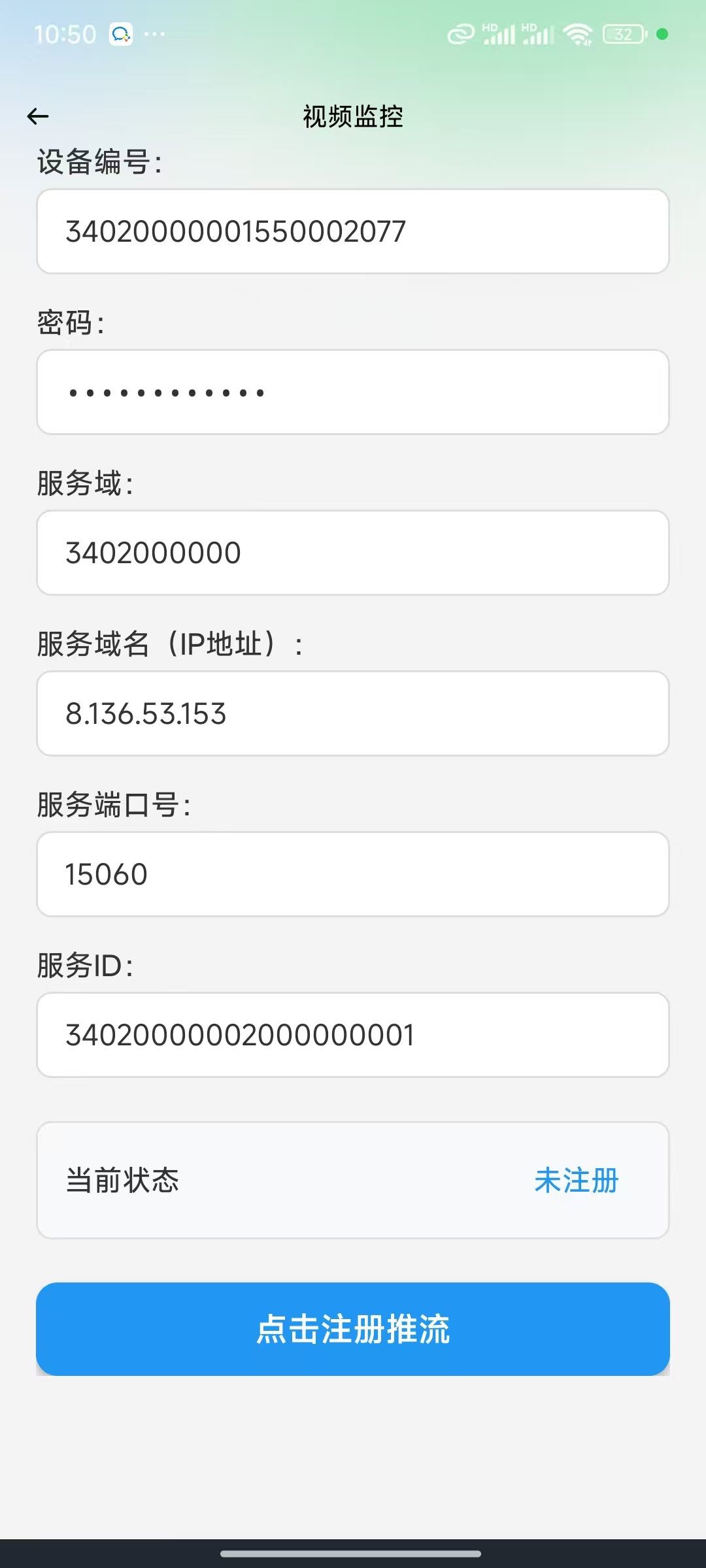
After tapping the streaming button, check the glasses streaming status in the backend.
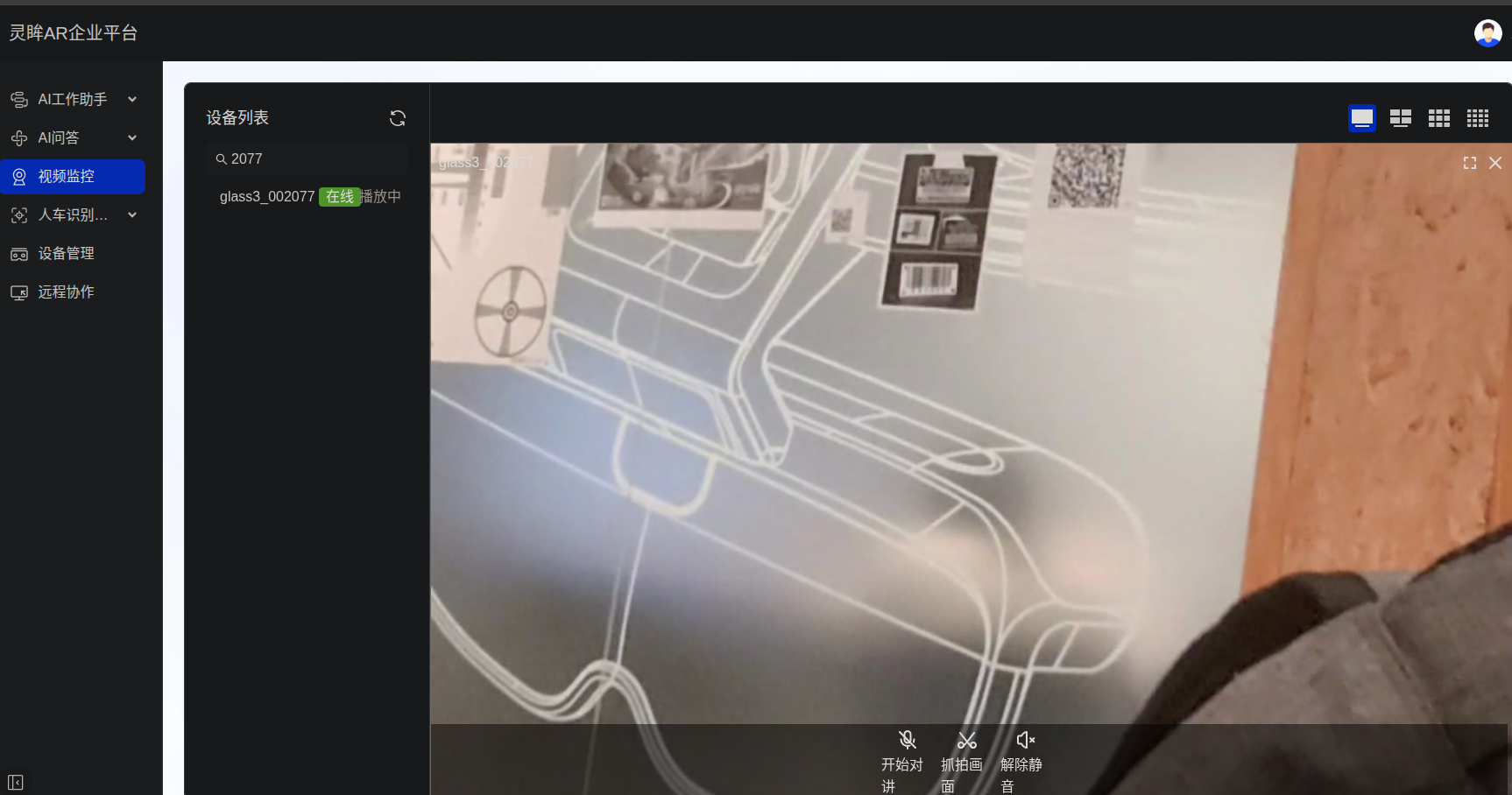
To validate the RTSP video stream, use the production environment URL format:
textrtsp://ar-security-media.rokid.com:5540/rtp/34020000001550000668_34020000001550000668Here,
ar-security-media.rokid.comis the production RTSP service address,5540is the production RTSP service port, and the GB/T ID in the path should be replaced with the actual device GB/T ID. The RTSP stream is available only after the platform-side play request succeeds and the status is "Playing".
Do video recording and online ASR compete for the microphone?
When using SDK APIs, the lower layer distributes audio streams, so microphone conflicts are generally avoided.
Is offline TTS supported?
Yes. Upgrade the SDK to 2.2.0 or later.
Is offline ASR supported?
Not currently. Use online ASR or private ASR/TTS services for open speech-to-text.
6. Business configuration
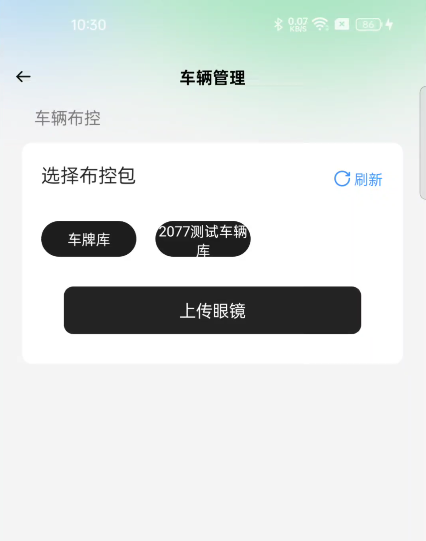
How do I sync a vehicle whitelist to glasses?
- Sign in to the Lingmou AR Enterprise platform.
- Create or import a vehicle list and bind it to the target glasses.
- The enterprise app syncs once automatically after phone-glasses connection.
- You can also manually upload the package from Vehicle Management.
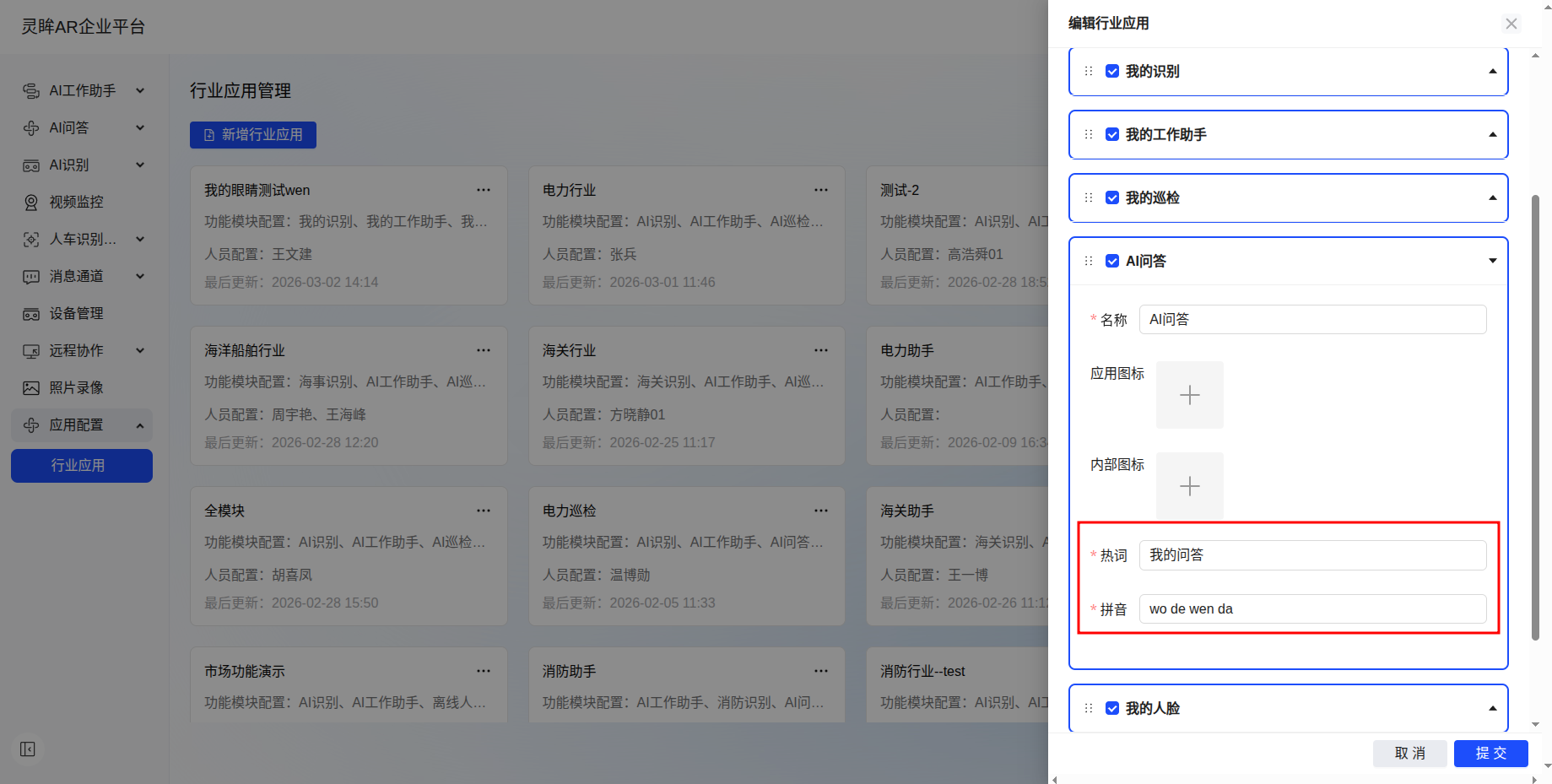
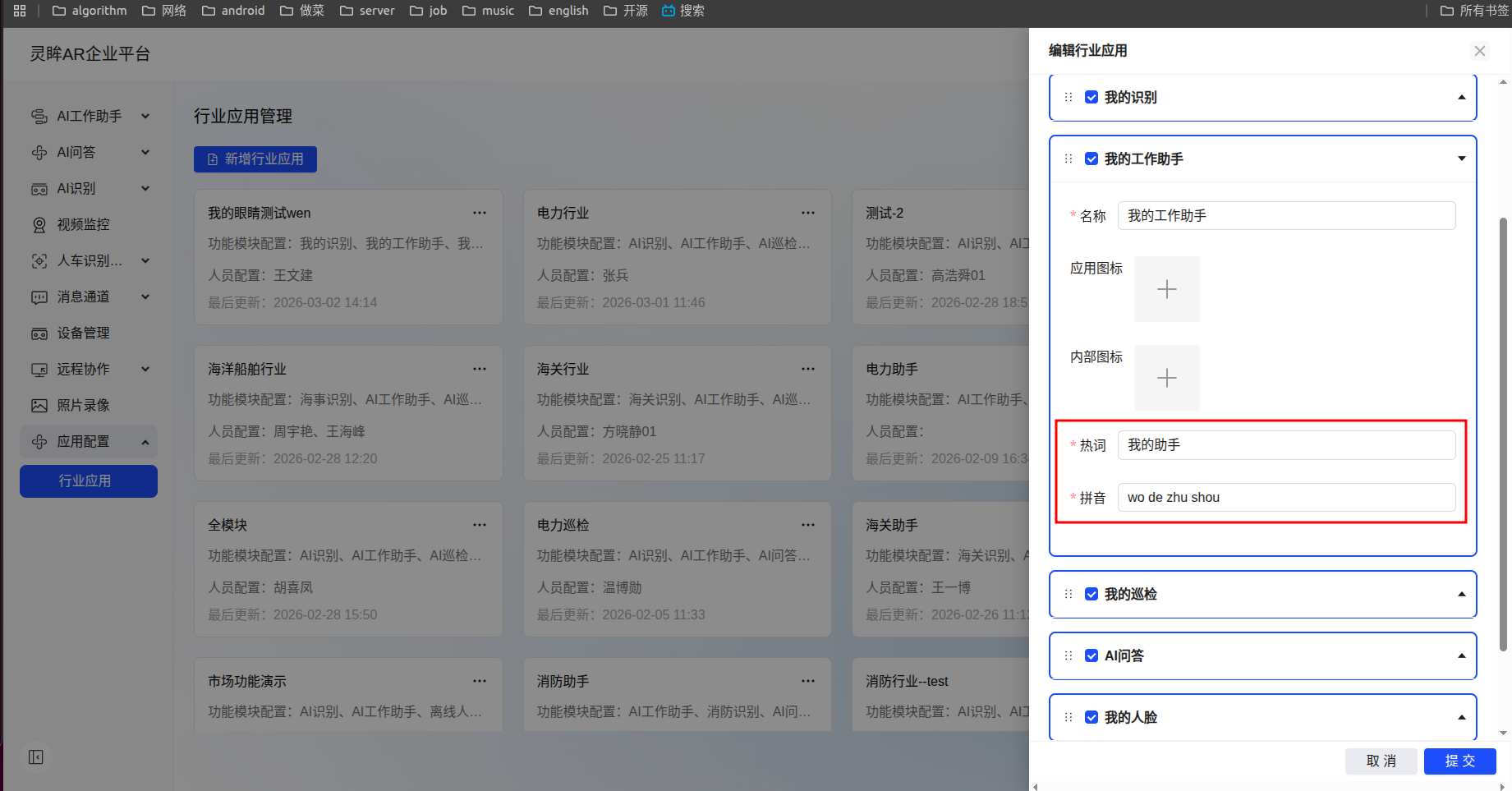
How do I update AI assistant prompts?
- Sign in to the Lingmou AR Enterprise platform.
- Open app configuration and select industry apps.
- Create or modify the industry app and bind it to the target user.
How can glasses connect to Wi-Fi by scanning a QR code?
Use the built-in scan app on glasses:
7. Feature usage
How does AI Work Assistant enter the task/work-order selection page?
AI Work Assistant currently does not support manually selecting work orders. The report format is generated by the large model based on configuration and context. Refer to the product manual for the intended workflow.
What should I know when scanning product barcodes?
Barcode recognition is sensitive to line width, spacing, and image sharpness. If the shooting distance, angle, or focus is unstable, recognition may fail or return an incorrect result.
Recommendations:
- Keep the barcode clear and fully visible in the frame.
- Avoid strong reflection, blur, and excessive distance.
- For high-frequency industrial scanning, use the Bluetooth ring together with the glasses for better efficiency and stability.
8. Other
Can uni-app integrate Glass3 SDK?
Yes, but you need to implement a bridge from uni-app to Android native SDK yourself. Glass3 SDK provides Android native APIs, not a ready-made uni-app plugin.
Can the middle ring button be intercepted?
Long-pressing the middle ring button usually triggers KEY_POWER for screen on/off. This is handled by the system and cannot be intercepted by app code.
How do I check memory status?
adb shell cat /proc/meminfo
adb shell dumpsys meminfo
If available memory stays below about 320 MB, background processes are more likely to be killed. Monitor CPU temperature, available memory, and process memory together during performance triage.